
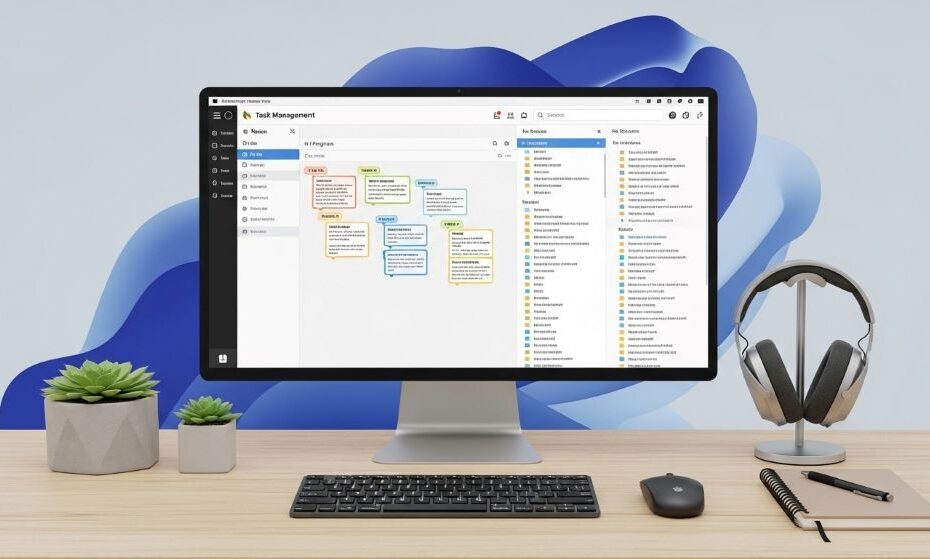
The modern workplace has transformed dramatically over the past decade. Physical filing cabinets and paper planners have given way to cloud storage and digital calendars. However, simply moving your work online doesn’t automatically make you more organized or productive. Without proper systems and strategies, digital workspaces can become just as chaotic as cluttered desks.
Many professionals struggle with information overload, scattered files, and constant context switching between multiple apps. These challenges drain mental energy and reduce the quality of your work. The good news is that with the right approach, you can harness the power of digital organization to achieve better focus and superior results.
This comprehensive guide will show you how to create a streamlined digital work environment. You’ll learn practical strategies for organizing files, managing tasks, and maintaining focus in an increasingly connected world. By implementing these methods, you’ll work smarter, reduce stress, and accomplish more in less time.
Understanding the Digital Organization Challenge
Before diving into solutions, it’s important to recognize why digital organization poses unique challenges. Unlike physical spaces with finite storage, digital environments offer unlimited capacity. This abundance often leads to hoarding information without thought to structure or retrieval.
Additionally, the ease of creating new folders, files, and projects means clutter accumulates rapidly. You can save everything, so you do. Over time, finding what you need becomes increasingly difficult despite having sophisticated search functions at your fingertips.
Context switching represents another significant challenge. Modern work often requires juggling multiple applications simultaneously. Each switch between tools costs mental energy and breaks your concentration. Research shows that it can take up to 23 minutes to fully regain focus after an interruption.
Furthermore, the constant influx of notifications, emails, and messages creates a reactive work pattern. Instead of controlling your day, you spend time responding to whatever seems most urgent. This reactive approach prevents deep work and strategic thinking.
Establishing Your Digital Foundation
Creating an effective digital workspace starts with establishing a solid foundation. This foundation consists of choosing the right tools and setting up basic organizational principles that will serve you long-term.
Begin by auditing your current digital workspace. List all the applications, platforms, and services you currently use. Identify redundancies where multiple tools serve similar purposes. This redundancy creates confusion and wastes time.
Consolidate wherever possible. Using fewer tools that integrate well together is far more effective than using many specialized applications that don’t communicate. Each additional tool adds complexity and increases the likelihood of information getting lost in the gaps.
Choose digital workspace tools that align with your actual workflow rather than forcing your work to fit a particular system. The best organizational method is one you’ll actually use consistently. Therefore, select tools that feel intuitive and match how you naturally think about work.
Create a single source of truth for different types of information. Decide where tasks live, where reference materials are stored, and where project documentation belongs. Having clear homes for different information types eliminates the mental burden of deciding where to put things.
Building an Effective File Structure
A well-designed file structure forms the backbone of digital organization. Without it, you’ll waste countless hours searching for documents and recreating work you’ve already done.
Start with a simple hierarchy that mirrors how you actually access information. Many people create overly complex folder structures with too many nested levels. This complexity makes filing new documents difficult and finding old ones frustrating.
Use a maximum of three to four folder levels. Beyond this depth, navigation becomes cumbersome. For example, you might organize by client, then project, then document type. Going deeper rarely adds value and usually creates confusion.
Develop a consistent naming convention for files and folders. Include dates in a sortable format, project names, and version numbers when relevant. Consistency means you can predict what files are called, making searches faster and more effective.
Avoid duplicating files across multiple locations. Instead, use shortcuts, links, or tags to access the same file from different contexts. Duplication leads to version control nightmares where you can’t determine which copy contains the latest updates.
Regularly archive completed projects. Moving finished work into archive folders keeps your active workspace clean while preserving access to historical information. Set quarterly reminders to review and archive completed items.
Mastering Task and Project Management
Effective task management prevents important work from falling through the cracks. It also provides clarity about what to focus on each day, reducing decision fatigue and procrastination.
Choose one system for capturing all tasks and commitments. Whether you prefer a simple to-do list or a complex project management system, the key is using it consistently. Split attention between multiple systems guarantees something will be forgotten.
Break larger projects into smaller, actionable tasks. Vague entries like “finish report” or “plan event” are too broad to be useful. Specific tasks like “draft executive summary” or “email venue about catering options” provide clear starting points that reduce procrastination.
Assign deadlines to tasks even when they’re not externally imposed. Without deadlines, tasks drift indefinitely. Setting your own deadlines creates healthy pressure and helps you prioritize effectively.
Use categories, tags, or labels to add context without creating complexity. Tags can indicate priority levels, energy requirements, or which projects tasks belong to. This additional metadata helps you make better decisions about what to work on in any given moment.
Review your task lists regularly. Daily reviews help you plan your day, while weekly reviews ensure nothing slips through the cracks. During reviews, delete outdated tasks, update deadlines, and add new items that have come up.
Creating Efficient Information Management Systems
The ability to quickly find information when you need it dramatically improves both productivity and work quality. Effective information management ensures knowledge is accessible and actionable.
Implement a personal knowledge management system. This could be as simple as a collection of well-organized notes or as sophisticated as a linked database of ideas and reference materials. The goal is capturing insights and information in a way that makes them retrievable and useful later.
Use consistent tagging across different platforms. If you tag emails, documents, and bookmarks with similar keywords, you create multiple pathways to finding related information. This interconnection makes your digital workspace more intuitive and powerful.
Create templates for recurring document types. Whether you frequently write proposals, reports, or meeting agendas, templates save time and ensure consistency. They also reduce the mental friction of starting new work.
Leverage search functions effectively by understanding how they work. Most platforms support advanced search operators that let you filter by date, file type, or specific fields. Learning these operators transforms search from frustrating to powerful.
Establish a system for capturing ideas and insights as they occur. Quick capture tools prevent losing valuable thoughts that pop up throughout the day. Later, during dedicated processing time, you can organize these captures into appropriate locations.
Minimizing Distractions and Maintaining Focus
Digital organization isn’t just about where you store files. It’s also about managing your attention in an environment designed to distract you.
Turn off non-essential notifications. Every ping and popup breaks your concentration and pulls you out of deep work. Configure your devices and applications to only interrupt you for truly urgent matters. Everything else can wait until you choose to check it.
Use focused work techniques like time blocking or the Pomodoro method. These approaches create boundaries around concentrated work periods. During these blocks, close email, silence your phone, and commit to working on a single priority.
Create different digital workspaces for different types of work. Using separate browser profiles, virtual desktops, or even different devices for different activities helps maintain appropriate context. Your focused work environment should look and feel different from your communication environment.
Implement the two-minute rule for small tasks. If something takes less than two minutes, do it immediately rather than adding it to a list. This approach prevents small tasks from accumulating and cluttering your mind.
Schedule specific times for reactive work like email and messaging. Rather than staying constantly available, batch these activities into dedicated blocks. This batching maintains responsiveness while protecting focused work time.
Integrating Communication Channels
Email, chat, video calls, and collaborative documents all demand attention. Managing these communication channels effectively prevents them from overwhelming your productivity.
Adopt inbox zero principles for email management. This doesn’t mean your inbox must always be empty. Rather, it means every email receives a decision: delete, delegate, respond, defer, or file. Processed emails leave your inbox so it remains a clean workspace rather than a cluttered storage area.
Use email folders or labels sparingly. Most people create too many categories that require constant decision-making about where to file messages. A simple system with just a few folders often works better than elaborate categorization.
Establish communication norms with your team. Decide which channels serve which purposes. For example, chat for quick questions, email for detailed updates, and project management comments for work-specific discussions. Clear norms reduce scattered conversations across multiple platforms.
Set response time expectations. You don’t need to reply to every message immediately. Letting colleagues know your typical response time manages expectations and protects your focused work time.
Use status indicators effectively. Setting yourself as busy or in focus mode signals to others that you’re concentrating on important work. Most platforms offer these features, but they only work if you actually use them.
Leveraging Automation and Integration
Modern productivity platforms offer powerful automation features that can eliminate repetitive work and ensure nothing falls through the cracks.
Identify repetitive tasks that could be automated. These might include moving files to specific folders, creating recurring tasks, sending routine updates, or copying information between applications. Even small automations compound over time to save significant effort.
Use integration tools to connect different applications. When your tools communicate with each other, information flows smoothly without manual copying and pasting. For instance, new calendar events might automatically create associated tasks, or completed tasks might trigger team notifications.
Set up email filters and rules to automatically organize incoming messages. Newsletters can route to reading folders, notifications from specific systems can be labeled, and messages from key contacts can be highlighted. Automation handles the sorting so you can focus on responding.
Create saved searches for information you access regularly. Rather than manually filtering the same way repeatedly, saved searches give you one-click access to specific subsets of information.
However, don’t automate just because you can. Each automation adds complexity to your system. Only automate tasks that genuinely save time or reduce errors. Simple manual processes sometimes work better than complicated automatic ones.
Maintaining Your Digital Workspace
Digital organization isn’t a one-time project. It requires ongoing maintenance to remain effective as your work evolves and information accumulates.
Schedule regular cleanup sessions. Weekly quick cleanups keep clutter from accumulating, while monthly or quarterly deep cleans address bigger organizational issues. During these sessions, archive completed work, delete obsolete information, and reorganize as needed.
Update your systems as your work changes. The organizational structure that worked for you last year might not serve your current role. Be willing to adjust your approach when circumstances shift.
Back up your digital workspace regularly. Cloud services often handle this automatically, but verify that important information is actually being backed up. Losing data to technical failures causes obvious problems, but it also disrupts your organizational systems.
Document your systems. Writing down how you organize files, manage tasks, and process information creates a reference for maintaining consistency. Documentation also helps if you need to recreate your system after technical issues or when onboarding someone who needs to access your work.
Continuously learn about new features in the tools you already use. Applications regularly add functionality that could improve your workflow. Spending a few minutes exploring updates occasionally pays dividends in long-term efficiency.
Choosing the Right Tools for Your Needs
With countless applications available, selecting appropriate online work organizers and productivity platforms can feel overwhelming. The right choices depend on your specific work style and requirements.
Consider your collaboration needs. Solo workers can optimize for personal preferences, while team members need tools that facilitate group work. Evaluate whether you primarily work independently or if real-time collaboration features are essential.
Assess integration requirements. Tools that work well with your existing technology stack add more value than standalone applications. Check whether potential additions integrate with the core platforms you already use daily.
Evaluate mobile access requirements. If you work on the go frequently, mobile functionality becomes crucial. Some tools excel on desktop but offer limited mobile experiences that could frustrate mobile workers.
Think about longevity and data portability. Choosing established platforms with export functions protects your information investment. You should be able to extract your data if you ever need to switch tools.
Start with free versions before committing to paid plans. Most quality platforms offer trials or freemium tiers. Test tools thoroughly with your actual work before investing money in subscriptions.
Building Sustainable Habits
The best organizational system in the world fails without consistent habits to maintain it. Building sustainable practices ensures your digital workspace remains organized long-term.
Start small with just one or two new habits. Trying to overhaul your entire workflow simultaneously usually leads to abandoning everything. Master one new practice before adding another.
Attach new habits to existing routines. For example, do your daily task review immediately after your morning coffee, or clean your desktop before shutting down each evening. Linking new habits to established ones increases the likelihood they’ll stick.
Track your progress to stay motivated. Whether through journaling, habit tracking apps, or simple checkboxes, monitoring your consistency provides accountability and highlights patterns in your behavior.
Be patient with yourself during the adjustment period. New systems feel awkward initially. Stick with new approaches for at least three weeks before deciding whether they work for you.
Celebrate small wins. Notice when your new organizational systems save time or reduce stress. Acknowledging these benefits reinforces positive behaviors and motivates continued effort.
Conclusion
Organizing work digitally requires more than just choosing the right digital workspace tools. It demands intentional systems, consistent habits, and ongoing maintenance. By establishing clear file structures, managing tasks effectively, and minimizing distractions, you create an environment that supports focused, high-quality work.
The strategies outlined in this guide provide a framework for building your personalized organizational system. Start with the fundamentals like file organization and task management, then gradually incorporate more sophisticated approaches like automation and advanced search techniques. Remember that perfection isn’t the goal. Rather, aim for an organizational approach that serves your actual work needs.
Productivity platforms and online work organizers provide powerful capabilities, but they’re merely tools. Your success depends on using them consistently within well-designed systems. Take time to experiment, adjust your approaches, and develop habits that maintain your digital workspace over time.
The investment you make in organizing your digital work environment pays dividends through reduced stress, improved focus, and better results. As you implement these strategies, you’ll spend less time searching for information and more time doing meaningful work that moves your projects forward.
Frequently Asked Questions
How many productivity apps should I use?
Aim for the minimum number that covers your needs effectively. Most people work best with three to five core tools: one for task management, one for file storage, one for communication, one for note-taking, and possibly one for time tracking or specialized project management. Using too many tools creates fragmentation and wastes time switching between platforms. Choose quality tools with good integration capabilities over having specialized apps for every minor function.
What’s the best way to organize files when working across multiple projects?
Create a consistent top-level structure based on clients or project categories, then use subfolders for individual projects within those categories. Include folders for active projects and a separate archive section for completed work. Use clear naming conventions that include dates and project names. Additionally, consider using tags or metadata to create virtual organization that complements your folder structure, allowing you to view files by different criteria without duplicating them.
How can I prevent my digital workspace from becoming cluttered again?
Implement a weekly maintenance routine where you process loose files, archive completed tasks, and clean up your desktop. Apply the one-touch rule: when you save something, immediately put it in its proper location rather than leaving it in downloads or on your desktop. Set up automatic archiving rules for old emails and files. Finally, regularly audit your tools and unsubscribe from unnecessary notifications or services that contribute to digital clutter.
Should I use different tools for personal and professional organization?
It depends on your preferences and whether your employer has specific requirements. Some people prefer complete separation to maintain work-life boundaries, while others find managing multiple systems more burdensome than helpful. If you use the same tools, create clear distinctions through separate folders, tags, or workspaces within each application. The most important factor is choosing an approach you’ll maintain consistently rather than letting either system break down.
How do I get my team to adopt better digital organization practices?
Start by proposing shared conventions for naming files, organizing folders, and using collaborative tools rather than trying to dictate personal systems. Create templates and documentation that make good practices easy to follow. Lead by example with your own organization. Provide brief training on features that improve team efficiency. Most importantly, explain the benefits in terms of time saved and reduced confusion rather than simply mandating changes. People adopt new practices more readily when they understand how it helps them personally.
Related Topics:
Safe Disposal of Lithium-ion Batteries From Cordless Tools: A Comprehensive Guide
Hands-On Performance Test: Milwaukee M18 Fuel 1/4 Inch Impact Driver